Why Is My iPhone Not Charging and How Do I Fix It?
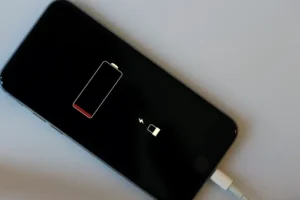
You plug in your iPhone before bed. You wake up and the battery is still at 3 percent. Or you plug it in and nothing happens at all. No charging symbol, no sound, nothing.
Before you panic and run to the Apple Store, know this: the fix is usually simple. Most iPhone charging problems come down to one of a handful of common issues, and most of them you can solve at home in minutes.
Here’s everything you need to check.
What Should I Check First When My iPhone Won’t Charge?
Is the charging port dirty?
This is the number one cause of iPhone charging problems, and most people never check it.
Over time, lint and dust from your pocket pack into the Lightning or USB-C port at the bottom of your iPhone. This buildup acts like a wall between the cable and the charging pins inside the port.
This one fix alone solves the problem for a large number of people.
Is the charging cable damaged?
Cables fray, bend, and break. The damage is usually near the ends where the cable meets the connector. Look closely at both ends of your cable for any cuts, bends, or exposed wire.
How to fix it: Try a different Apple-certified cable. If your iPhone charges with a different cable, the original cable was the problem. Only use MFi-certified cables with iPhones. Cheap third-party cables often cause issues.
Is the charging block working?
Your wall adapter can fail too, especially older five-watt blocks. Plug a different device into the same adapter and see if it charges that device. If it doesn’t, the adapter is bad.
How to fix it: Try a different USB wall adapter. Apple recommends at least 20 watts for modern iPhones.
Why Is My iPhone Charging Slowly?
If your iPhone charges but it takes forever, the issue is usually the charger output. Older five-watt chargers take four to five hours to fully charge a modern iPhone. A 20-watt charger can do it in under two hours.
Background apps also slow charging down. Your phone uses power while it charges if apps are actively running. Turning on airplane mode while charging cuts out wireless signals that drain power, and your phone charges noticeably faster.
What Does It Mean When iPhone Says ‘This Accessory May Not Be Supported’?
This warning shows up when your iPhone doesn’t recognize the cable or charger you’re using. It almost always means the cable is not Apple-certified or is damaged.
How to fix it: Switch to an Apple original cable or a cable with the MFi logo on the packaging. MFi stands for Made for iPhone, and it means Apple has tested and approved that accessory.
Can a Software Problem Stop My iPhone From Charging?
Yes, this happens. Sometimes the software that manages the charging process freezes or gets confused.
How to fix it: Force restart your iPhone. On iPhone 8 and later, press and quickly release the Volume Up button, then press and quickly release Volume Down, then hold the Side button until you see the Apple logo. On iPhone 7, hold Volume Down and the Sleep button together. For iPhone 6s and earlier, hold Home and Sleep together.
After the restart, plug in your charger again. Many people find this solves the problem completely.
How Do I Know If My iPhone Battery Needs Replacing?
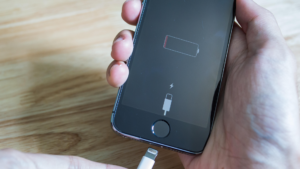
Go to Settings, then Battery, then Battery Health. If the number shown is below 80 percent, your battery is worn out. A worn battery charges slowly, drains fast, and can cause unexpected shutdowns.
Apple replaces batteries for a fee at Apple Store locations or Apple Authorized Service Providers. This is worth doing if your phone is otherwise in good shape.
Frequently Asked Questions
Why does my iPhone charge only when I hold the cable at an angle?
The charging port pins inside your iPhone are likely bent or there is debris pushing the cable away from making full contact. Clean the port first, then visit an Apple Store if the problem continues.
Can water damage stop my iPhone from charging?
Yes. If your iPhone got wet recently, moisture inside the port can block charging. Let the phone dry completely in open air for at least 24 hours before trying to charge again.
Does wireless charging work if my port is damaged?
Yes. MagSafe and Qi wireless charging bypass the port entirely. This is a useful workaround while you wait for a port repair.
Why does my iPhone show charging but the battery percentage doesn’t go up?
This usually means the battery is near the end of its life. Check Battery Health in Settings. If it’s below 80 percent, it’s time for a replacement.
A charging problem with your iPhone is almost always fixable without a trip to the store. Work through the steps above one by one and you’ll find the issue. If nothing works after trying all of these, your port may need a professional repair.
Find more iPhone troubleshooting guides at HowToShareTips.com.